Understanding Your Dashboard
Dashboard overview
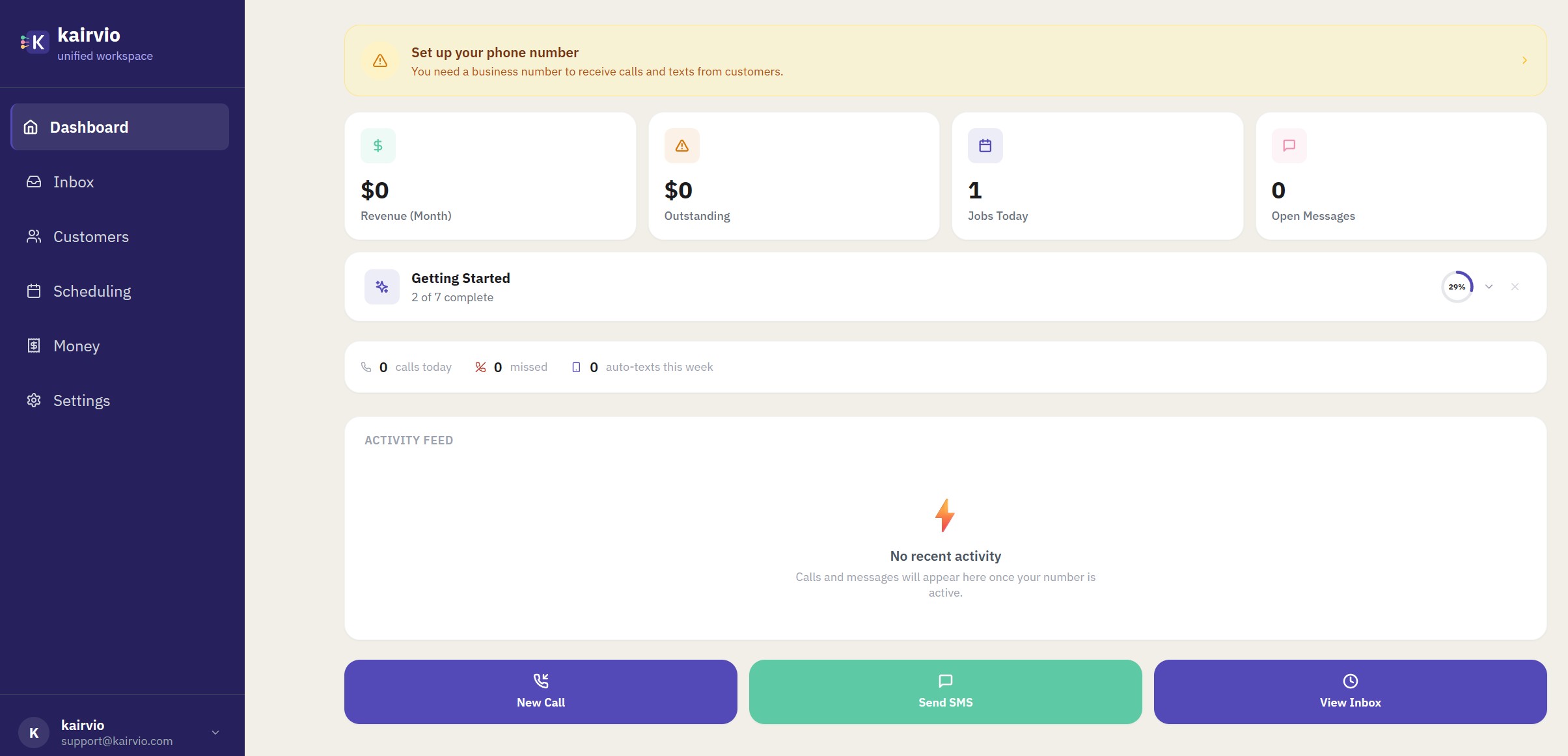
When you log in, the dashboard gives you a snapshot of your business at a glance.
Phone number banner
If you haven’t set up your phone number yet, you’ll see a Set up your phone number banner at the top of the dashboard. Tap it to configure your business number so you can start receiving calls and texts.
Stat cards
Four stat cards sit at the top of your dashboard:
- Revenue (Month) — total revenue for the current month.
- Outstanding — unpaid invoice balance.
- Jobs Today — how many jobs are on your schedule today.
- Open Messages — conversations waiting for a reply.
Getting Started progress tracker
Below the stat cards you’ll see a Getting Started checklist that tracks your onboarding progress (for example, “2 of 7 complete” with a percentage bar). Work through each step to make sure your account is fully set up.
Call stats
Underneath the progress tracker you’ll find a quick summary of your phone activity:
- Calls today — inbound and outbound calls so far.
- Missed — calls you didn’t answer.
- Auto-texts this week — automatic text replies sent to missed calls.
Activity Feed
The Activity Feed section shows your latest activity — new messages, completed jobs, paid invoices, and new customers. When there’s nothing to show yet, you’ll see “No recent activity.” As you start using Kairvio, this feed fills up and becomes a fast way to catch up on what happened while you were away.
Sidebar navigation
The sidebar on the left gives you access to six core sections. At the bottom of the sidebar you’ll see your business name and email address.
Dashboard
Your home base with the stat cards, progress tracker, call stats, and activity feed described above.
Inbox
Your unified inbox for messages from customers. Each conversation is tied to a customer record so you always have context.
Customers
Your customer database with contact info, conversation history, job history, and notes. Every interaction is automatically logged so you never lose track of a relationship.
Scheduling
View and manage your appointments on a calendar. See job details at a glance and create new bookings.
Money
Your billing hub for invoices and quotes. Create, send, and track invoices, filter by status, and let customers pay online.
Settings
Configure your account, communication preferences, business tools, and team. See Setting Up Your Business Profile for a full walkthrough.
Tips
- Check your dashboard first thing in the morning to plan your day.
- Work through the Getting Started checklist to make sure you’re getting the most out of Kairvio.
- Keep an eye on the Activity Feed to catch up on what happened while you were away.