Connecting Stripe for Payments
Connect your Stripe account
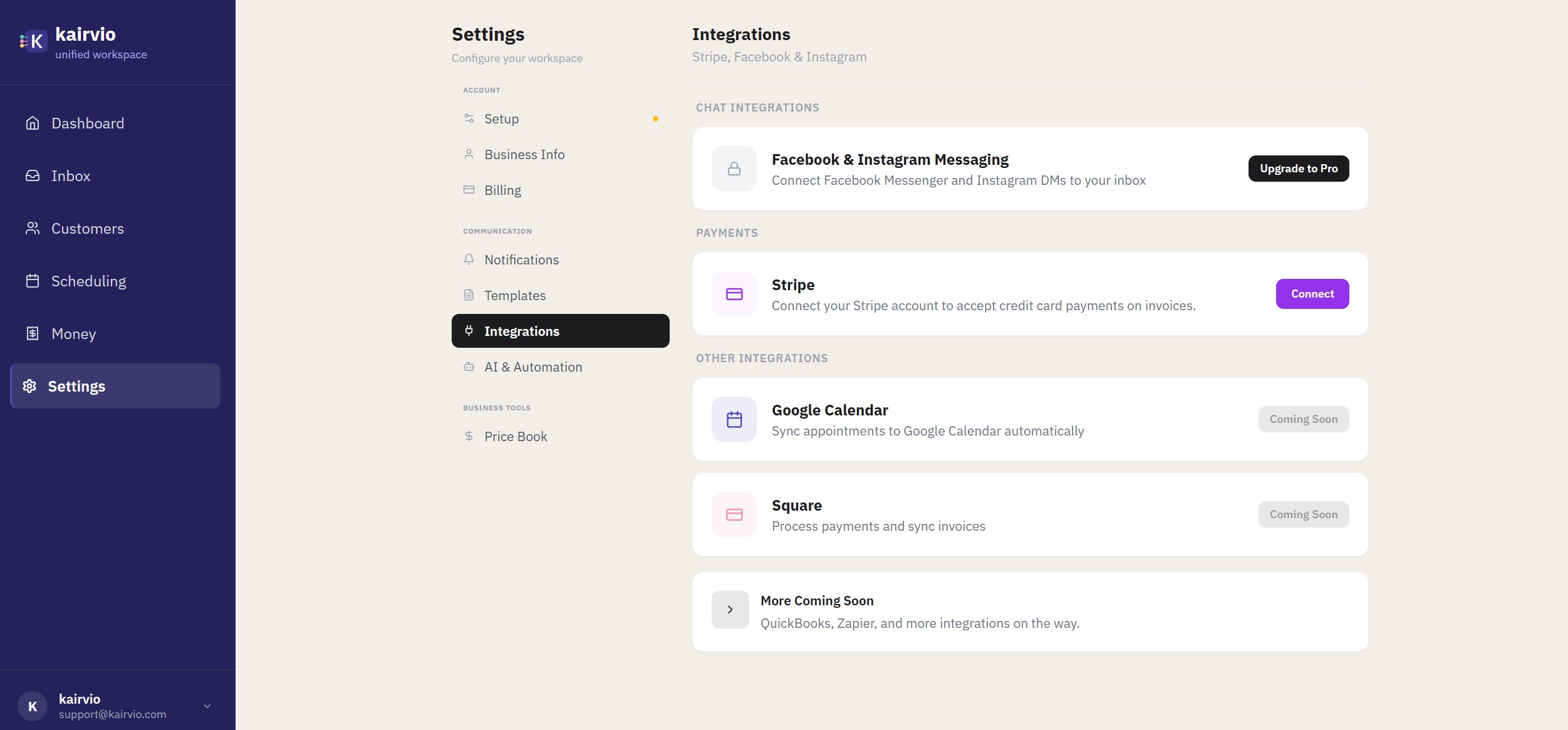
- Go to Settings > Integrations > Payments.
- Find Stripe and click the Connect button.
- You’ll be redirected to Stripe’s onboarding flow. If you already have a Stripe account, sign in. If not, Stripe will walk you through creating one.
- Complete the required steps — business details, bank account for payouts, and identity verification.
- Once finished, you’ll be brought back to Kairvio and your Stripe connection will show as active.
Setting up Stripe is free. You only pay Stripe’s standard processing fees when a customer makes a payment.
What happens after you connect
Once Stripe is connected, a Pay Now button automatically appears on every invoice you send. There’s nothing extra to configure — it just works.
- Customers click Pay Now and enter their credit or debit card.
- No account or sign-up is required on the customer’s end.
- Payments are processed instantly through Stripe.
How payouts work
Funds from customer payments are deposited directly into the bank account you linked during Stripe setup. Payouts typically arrive within 2 business days, though timing can vary based on your bank and country.
You can check payout details and timing anytime in your Stripe Dashboard.
Require deposits upfront
For larger jobs, you can require a deposit before work begins:
- When creating an invoice or quote, toggle on Deposit Required.
- Enter the deposit amount (flat dollar amount or percentage of the total).
- Your customer will be prompted to pay the deposit when they view the invoice or accept the quote.
This is a great way to secure commitment and cover material costs before starting a project.
Security and compliance
Kairvio never sees or stores your customers’ credit card information. All payment data is handled entirely by Stripe, which is PCI Level 1 compliant — the highest level of payment security certification in the industry.
Your customers’ card details go directly to Stripe’s servers and never pass through Kairvio.
Tips
- Test the experience yourself. After connecting, create a draft invoice and preview it to see exactly what your customers will see when they click Pay Now.
- If a customer asks about payment security, you can confidently tell them that payments are processed through Stripe, the same platform used by millions of businesses worldwide.
- Check your Stripe Dashboard regularly to monitor payouts, view transaction history, and manage any disputes.